Audit your site and verify your improvements
Analyze content, structured data, performance and access for AI agents in one place. Get a per-page diagnosis, review the evidence and audit again after applying improvements.
Start with the Free plan. Scale capacity when you need it.
Application interface available in 7 languages.
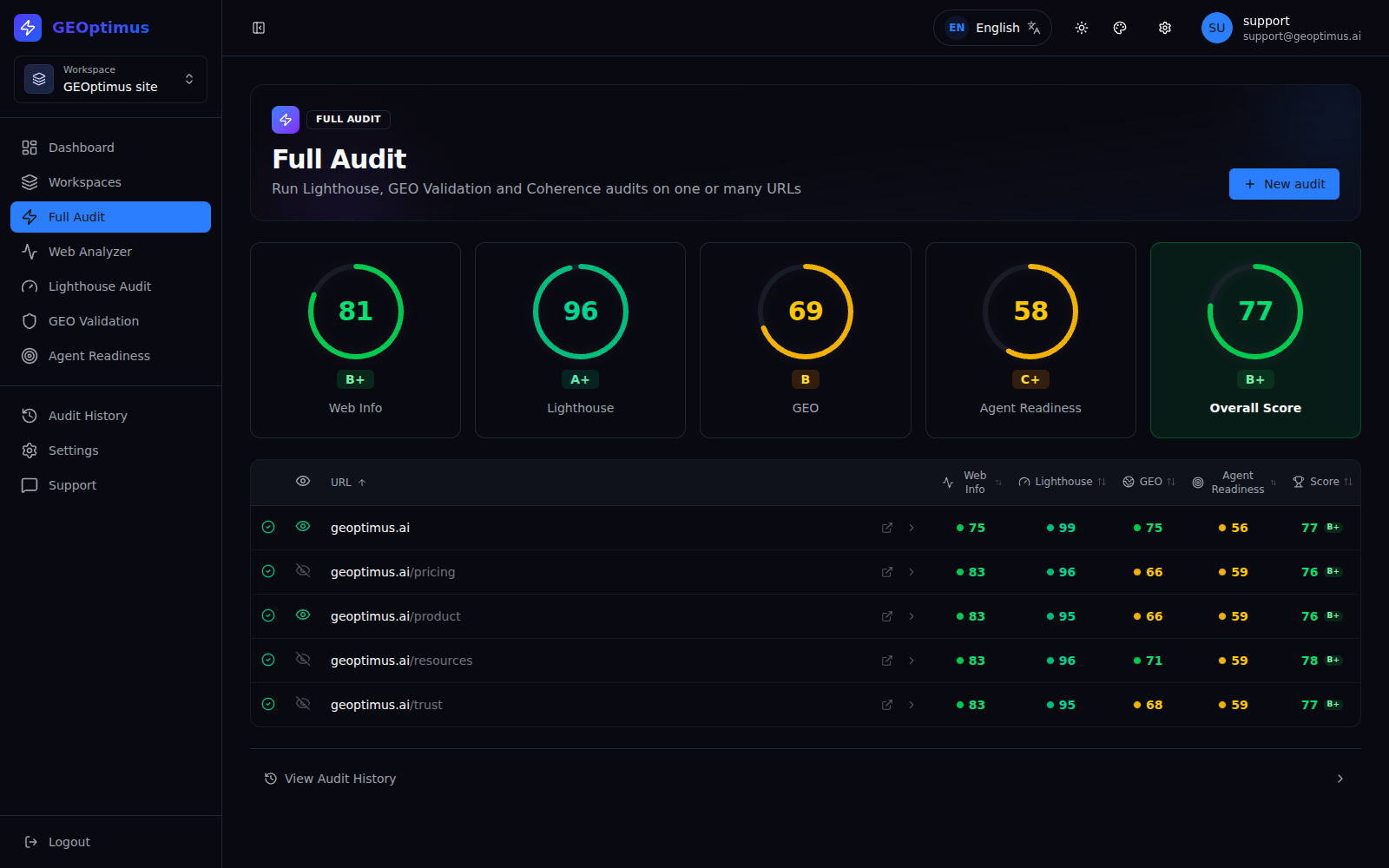
A score gives you direction. The detail helps you improve.
A global score summarizes the state of your page. GEOptimus takes you further: find out which checks pass, which need attention and what information is behind each result.
Understand the problem
Review the finding and its context.
Decide where to start
Review the available opportunities and their impact and effort estimates.
Work with evidence
Inspect extracted data, checks and technical details.
Check your progress
Recover previous audits and review the results after running the analysis again.
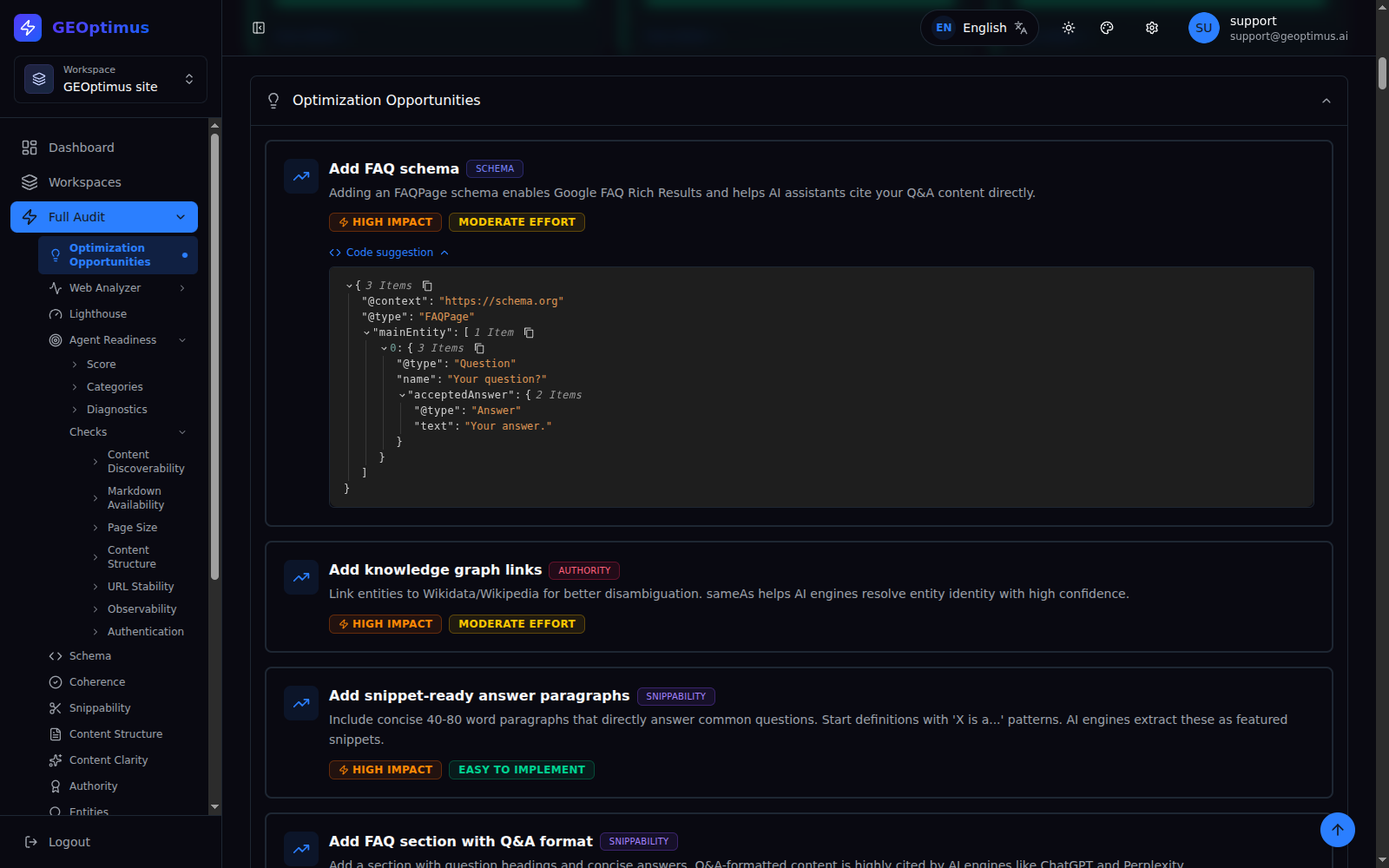
Your website, examined from four perspectives.
Content and page data
Review titles, descriptions, social metadata, JSON-LD, extracted content and links. Check what information your website is actually publishing.
Performance and technical quality
See Lighthouse results for desktop and mobile: performance, accessibility, best practices and SEO, with access to the corresponding report.
AI readiness of your content
Assess nine GEO dimensions, from structured data and coherence to clarity, entities and ease of extracting answers.
Access for agents
Examine content discovery, Markdown availability, rendering, redirects and other conditions that can make automated access easier or harder.
From your first audit to your next improvement.
- 1
Select the pages
Enter the URLs you want to review and run the audit within your plan limits.
- 2
Explore the diagnosis
Move from the summary to the detail with the side menu: results, findings, explanations and evidence per section.
- 3
Apply the changes
Use the recommendations to prepare the content or development work and check which fixes fit your site.
- 4
Check again
Run another audit and review the previous results in your history to assess progress.
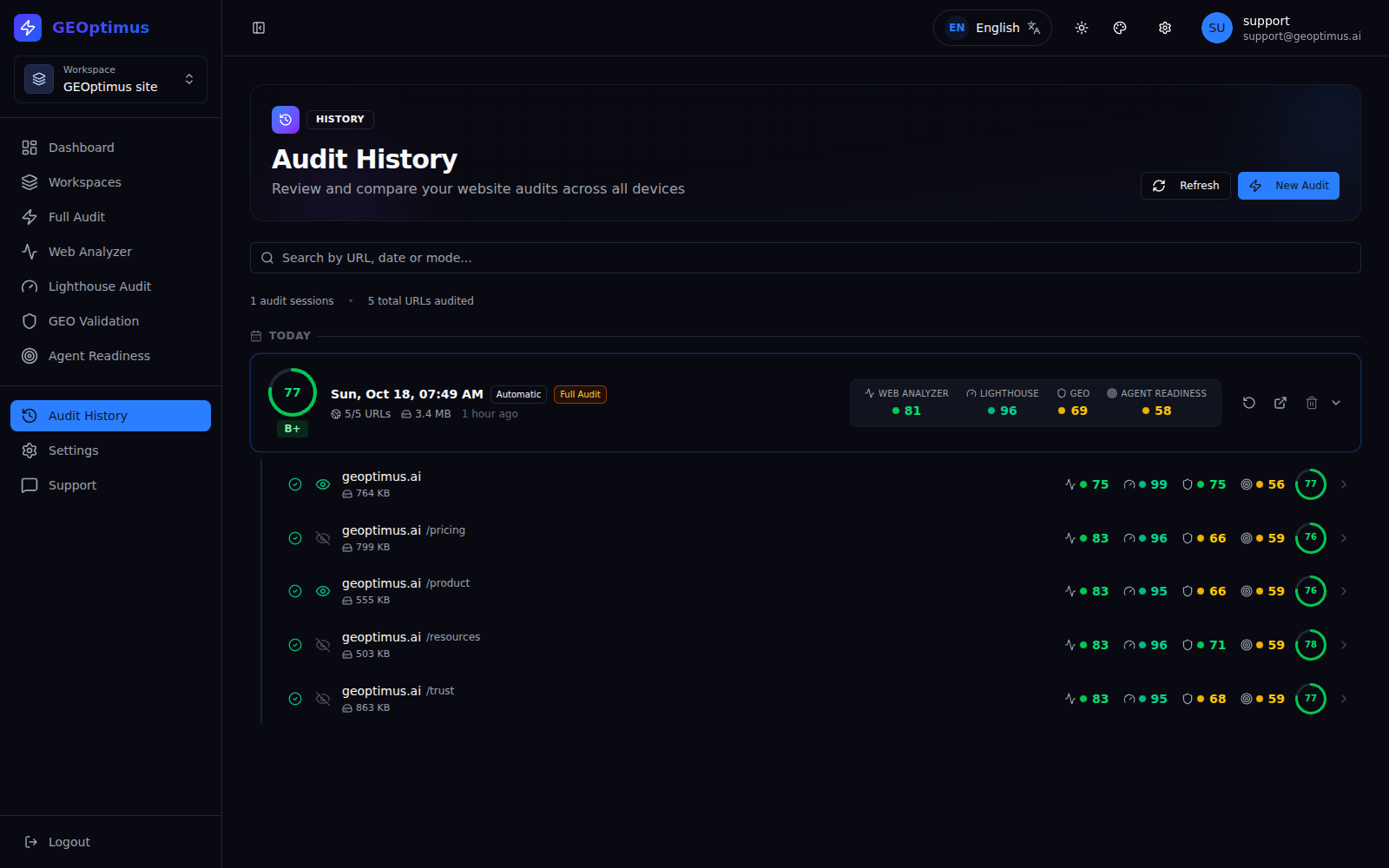
Your audits don't disappear when you close the tab.
Return to the diagnosis when you need to work on an improvement, check a data point or see how a page was before changing it. The history keeps the results within your plan's capacity and lets you delete the audits you no longer want to keep.
Analyze today. Improve when you need to. Check afterwards.
Questions before you start
In which languages can I use the application?
The GEOptimus interface is available in English, Catalan, Spanish, Portuguese, French, German and Japanese. You can change the language from within the application. External reports and some results may keep their original language.
Does GEOptimus measure whether ChatGPT is citing my site?
No. It analyzes technical and content signals related to readiness for AI and agents. Its scores are not a record of real citations nor a guarantee of appearing in a model's answers.
Do I need technical knowledge?
You can start with the summary and the improvement opportunities. The detailed sections provide information to dig deeper or to prepare work with a development, content or SEO person.
Does GEOptimus change my page automatically?
No. It provides the diagnosis and the recommendations. You decide which changes to apply to your site.
Can I look at an audit again later?
Yes. You can retrieve its results from the history, subject to your plan's storage limits, or delete it when you no longer need it.
The next improvement for your site starts with understanding it.
Try GEOptimus with your own pages. Explore the diagnosis and decide what deserves your attention first.
Create free account